
Proxy
The Proxy page routes a zone's traffic to your origin and configures the core request/response settings that other features build on.
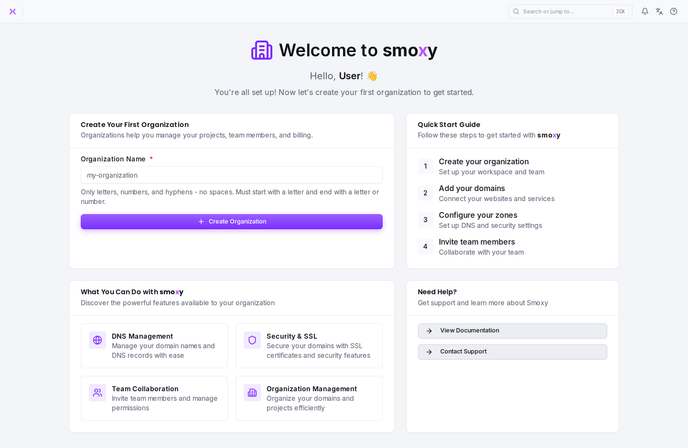
Hostnames are managed on their own page -- see Hostnames. To turn smoxy on or off for the whole zone, use the Enabled / Disabled toggle in the zone header; when the zone is disabled, smoxy passes traffic through as a plain reverse proxy without caching, optimization, or security.
Default Backend
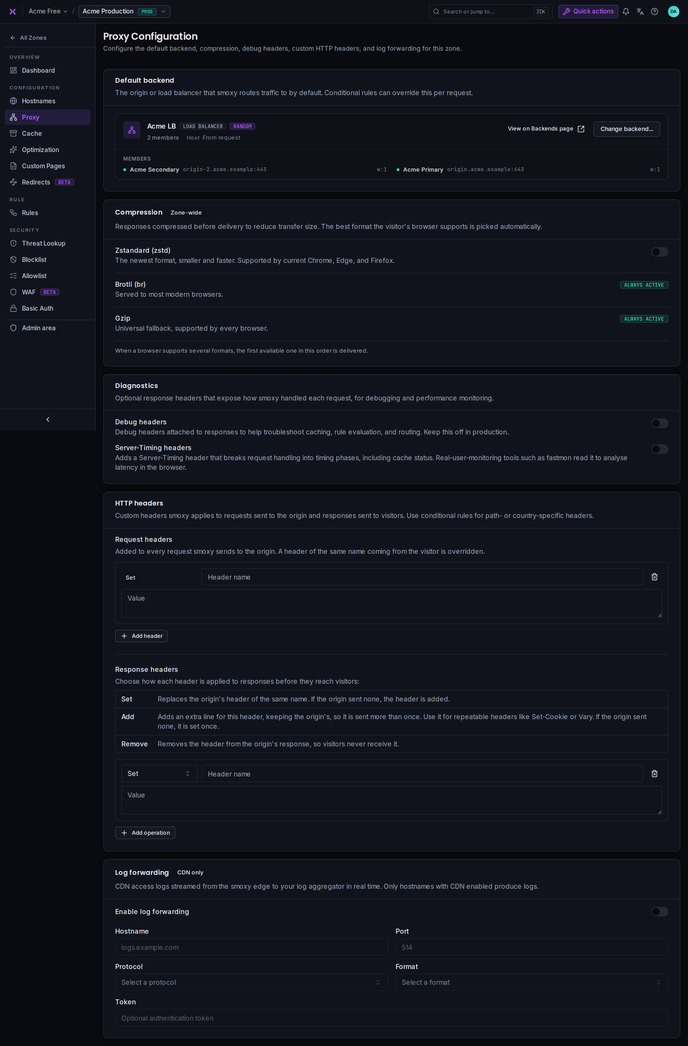
Every zone needs a destination for its traffic: either a single origin server or a load balancer that distributes requests across several origins. The Default backend card shows the assigned backend at a glance -- for an origin its address and Host header, for a load balancer the balancing method and its members with their weights -- with a direct link to the Backends page.
To change it:
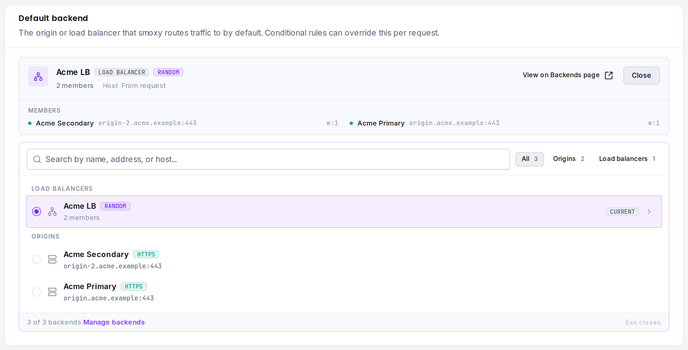
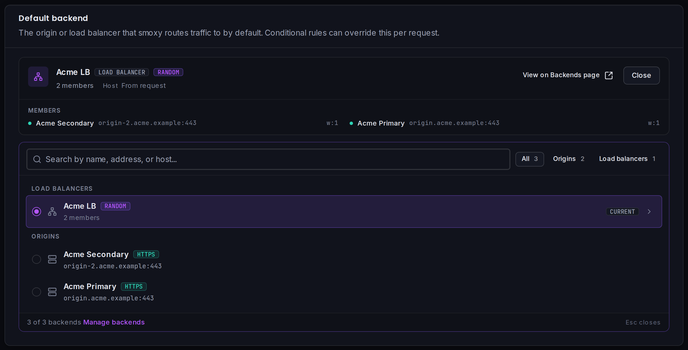
- Click Change backend... (or Select backend... while none is assigned) -- the picker folds out inside the card
- Find the backend by searching for name, address, or host, or filter with the All / Origins / Load balancers tabs; the assigned backend carries a Current badge
- Pick the new backend and click Save changes -- nothing is applied until saved; Discard reverts the selection
This determines where smoxy sends requests by default. You can override this per-request using Conditional Rules.
INFO
Note: Origins and load balancers are created separately under Organization > Backends before they can be assigned to a zone. If the assigned backend is later deleted there, the card shows a warning and the zone cannot route traffic until a new backend is selected.
Compression
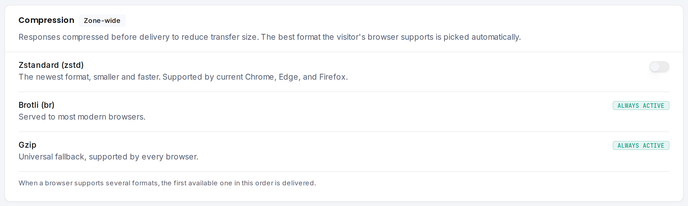
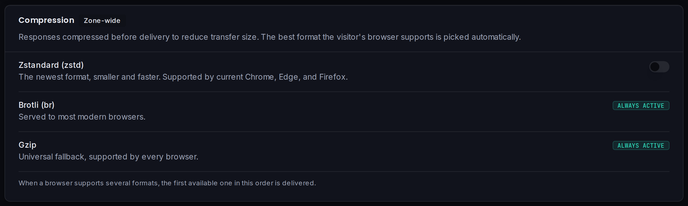
smoxy compresses responses at the edge before delivering them to visitors, so they transfer smaller and faster. Responses are requested uncompressed from your origin -- compression needs no configuration on your server. For each response, the best format the visitor's browser supports is picked automatically, in this order:
| Format | Availability | Browser support |
|---|---|---|
| Zstandard (zstd) | Toggle -- enabled by default on new zones | Current Chrome, Edge, and Firefox |
| Brotli (br) | Always active | Most modern browsers |
| Gzip | Always active | Universal fallback, supported by every browser |
Brotli and gzip are always active and cannot be disabled. Zstandard, the newest of the three formats with smaller files and faster decompression, is controlled per zone in the Compression card: newly created zones start with it enabled; on existing zones, switch it on with the toggle. The setting applies zone-wide and takes effect immediately -- no cache clear required.
Debug Headers
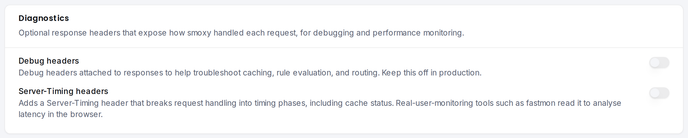
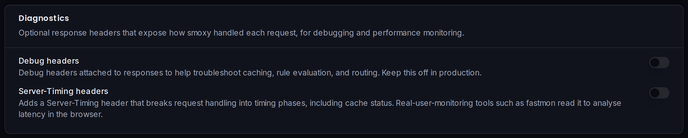
When enabled, smoxy adds debug information to HTTP response headers. This is useful for troubleshooting caching behavior, rule evaluation, and request routing. The toggle sits in the Diagnostics card, next to Server-Timing Headers.
Without debug headers, s-cache is the only smoxy header exposed to visitors; all other internal s-* headers (such as the cache file hash) are stripped at the edge before the response leaves smoxy. With debug headers enabled, they remain visible on the response.
Enable this during development or debugging, and disable it in production to avoid exposing internal details.
Server-Timing Headers
When enabled, smoxy adds a Server-Timing response header that breaks request handling into timing phases, so real-user-monitoring tools can measure smoxy's contribution to latency directly in the visitor's browser. It is off by default and enabled per zone with the Server-Timing headers toggle in the Diagnostics card. Over the API it is the serverTimingEnabled field on a zone.
The header reports the cache status and the time spent at each stage, using vendor-neutral names, in this order:
cdn-cache-- the edge cache result, as a quoted description:HIT,MISS,BYPASS, orSTALEorigin-- milliseconds until the origin started responding. Only present when the request went to the origin, so never onHITorSTALEedge-- milliseconds spent handling the request at the smoxy edge, not counting the wait on the origin
A response served from the edge cache reports two metrics:
Server-Timing: cdn-cache;desc="HIT", edge;dur=2A response that went to the origin reports all three:
Server-Timing: cdn-cache;desc="BYPASS", origin;dur=87, edge;dur=4Because edge excludes the wait on the origin, edge plus origin is close to the total server-side time, and what remains against the browser's own time to first byte is connection setup and network transit.
Any Server-Timing header your origin already sends is passed through untouched: smoxy appends its own metrics on an additional header line rather than rewriting yours, and the browser merges the lines into a single list. smoxy adds Timing-Allow-Origin: * only when the response doesn't already carry that header, so the timings stay readable by scripts on your own site and a policy your origin sets is never overridden. Monitoring tools such as fastmon consume this header automatically.
Responses that the edge answers on its own, without handing the request to the zone's request handling -- edge-level redirects, ACME challenges, and edge error pages -- carry no Server-Timing header at all.
HTTP Headers
smoxy can rewrite the HTTP headers on the requests it sends to your origin and on the responses it returns to visitors. Both are configured in the HTTP headers card, and both can be overridden per request with Conditional Rules.
Request Headers
Headers smoxy sends to your origin server, useful for passing additional context to your backend. Each entry is set: smoxy adds the header, and a header of the same name coming from the visitor is overridden. Give each header a name and a value, one per row.
Response Headers
Headers on the response before it reaches the visitor. Each row picks how the header is applied, so a single list can set security headers, fold in extra values, and strip headers the origin leaks:
| Operation | What it does |
|---|---|
| Set | Replaces the origin's header of the same name. If the origin sent none, the header is added. |
| Add | Sends an additional line for the header, keeping the origin's, so it is delivered more than once. Use it only for headers that may legally repeat -- Set-Cookie, Vary, Link, CORS Access-Control-Allow-*, and similar. If the origin sent none, it is set once. |
| Remove | Drops the header from the origin's response, so visitors never receive it. |
WARNING
Don't use Add for single-valued headers such as Content-Type, Location, ETag, or Last-Modified: a duplicate line is rejected downstream and one copy is dropped. Use Set for those.
When several operations touch the same header, smoxy applies them in a fixed order -- remove, then set, then add. So a Set always wins over the origin, and an Add layers on top of it.
Each list holds up to 15 entries; a header name can be up to 255 characters and a value up to 4096.
Dynamic values
Set and Add values can embed {{req....}} placeholders that smoxy fills in per request, drawn from the same request data your Conditional Rules match on. For example, an Add on Set-Cookie with the value
geo_country={{req.geoip.country}}; Path=/delivers geo_country=DE to a visitor in Germany. (Remove takes only a header name and is never interpolated.)
The values you can reference are:
| Group | Placeholders |
|---|---|
| Location (GeoIP) | {{req.geoip.country}} (ISO 3166-1 alpha-2), .city, .subdivisions, .iseu, .asn, .asorg, .latitude, .longitude |
| Request | {{req.method}}, {{req.uri}}, {{req.host}}, {{req.ip}} |
| Headers, query args, cookies | {{req.headers['user-agent']}}, {{req.args['ref']}}, {{req.cookies['sid']}} |
Header, arg, and cookie names go inside ['...'] because they can contain -; write header names in lowercase. The fixed fields above use dotted names such as {{req.geoip.country}}.
smoxy keeps interpolation safe:
- Only request data is reachable -- there is no scripting, and nothing outside
reqcan be read. - Line breaks are stripped from every resolved value, so a crafted cookie or query arg cannot inject additional headers.
- An unknown or empty field resolves to nothing. A Set header whose value ends up entirely empty is dropped and never reaches the visitor; a cookie value keeps its
name=prefix, so theSet-Cookieline is always sent.
Log Forwarding
Stream this zone's CDN access logs from the smoxy edge to your own log receiver in real time. You configure the receiver's hostname and port, the protocol and format to send in, and an optional token to authenticate. Only hostnames with the CDN enabled produce logs.
INFO
Note: Log forwarding is CDN only.
For the available protocols and formats and full setup details, see Log Forwarding.
For caching, security, image optimization and custom pages settings, see the respective feature documentation pages.