
Google Merchant Crawler
Since Google's recent updates, issues may occur in the Merchant Center when processing product images.
Merchants may receive error messages stating that images cannot be processed, even though the image URLs are valid.
The reason: Google now requires that the file extension of an image URL (e.g., .jpg) must match the actual Content-Type returned by the server.
In smoxy, the URL path remains unchanged during WebP/AVIF conversion, but the actual image format is switched.
Additionally, Google has announced that the AVIF format is no longer supported.
As a result, Merchant Center may reject images if the file extension and Content-Type do not match.
Solution in smoxy
To ensure that Google crawlers always receive the correct format, you need to create a Conditional Rule in smoxy that disables image conversion for the affected Google crawlers.
Create a new rule
Log in to smoxy hub and go to the desired Zone
Navigate to Conditional Rules and click Create Conditional Rule
Use a clear name, for example:
Disable AVIF/WebP for Google Crawler
Add conditions (OR logic):
- User-Agent contains Storebot-Google
- User-Agent contains GoogleOther
- User-Agent contains Googlebot-Image


Add settings
Next, add overrides for the two settings
AVIF conversionandWebP conversionand make sure both toggles are disabled. This overrides the conversion rules in smoxy for these two User-Agents only.
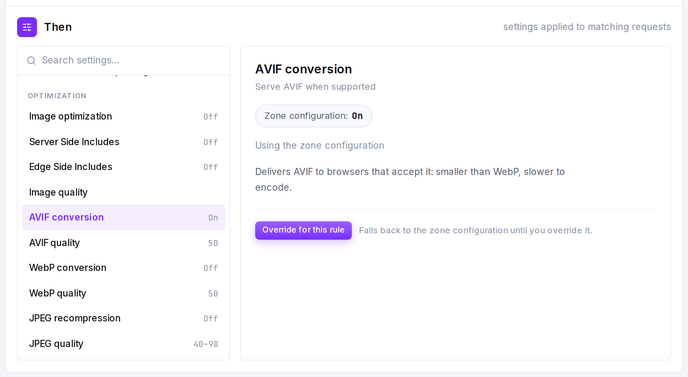
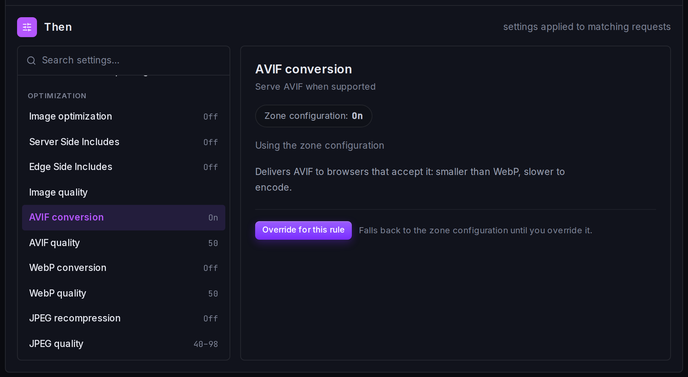
- Create and activate the rule
Background: What did Google change?
AVIF support removed: Images in the AVIF format are no longer accepted by Google Merchant Center.
Stricter validation of file extension and Content-Type: If a URL ends with .jpg, it must return Content-Type: image/jpeg.
Any mismatch (e.g., .jpg URL -> image/webp) will result in image processing errors.
Sources
Google crawler documentation (including GoogleOther & Storebot-Google):
Merchant Center image specification:
Note on other CDNs
This is not a smoxy-specific issue, but a general change in Google's Merchant Center behavior.
If you are using additional CDNs or image optimization services (e.g., Cloudflare, BunnyCDN, Cloudinary, Akamai), you must also disable conversion to WebP or AVIF there.
Otherwise, Google may still receive the wrong format and reject images -- even if the correct rule is already configured in smoxy.