
Threat Lookup
The zone's Threats page is an investigation tool for your zone's security layer. It surfaces active security decisions, scenario hits, and IP reputation over a rolling 24-hour window, so you can understand exactly why a given IP is -- or isn't -- being blocked, and act on it.
Overview
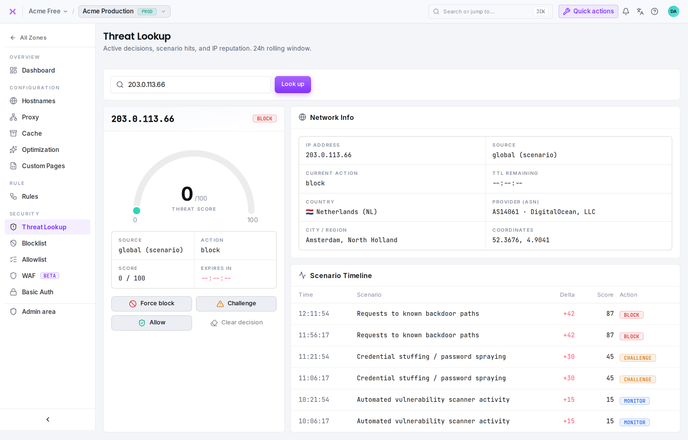
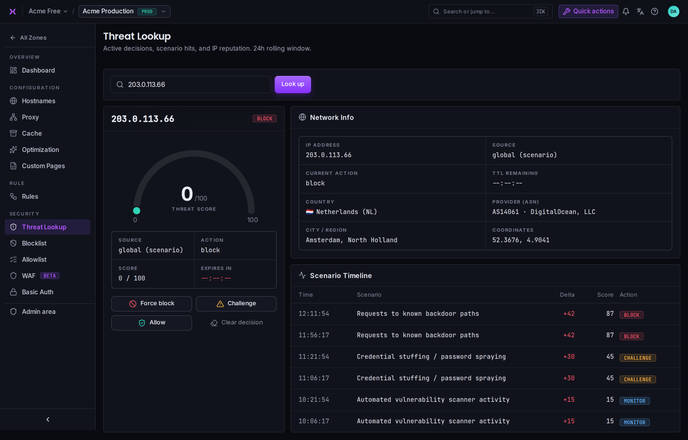
Threat Lookup answers a single, common question: what does smoxy currently think about this IP address, and why? Rather than guessing from access logs, you enter an IP and get the active decision, the data behind it, and the recent security events that led there -- all in one place.
It is an observability and investigation tool. It does not change how traffic is handled on its own; it shows you the current state and lets you take direct action when you decide to.
Looking Up an IP
Enter an IP address and look it up. smoxy returns everything it knows about that address for this zone:
| Section | What it shows |
|---|---|
| Threat score | A 0–100 gauge summarizing how risky the IP is currently considered |
| Current decision | The active action, its source, score, and remaining time-to-live |
| Network info | Where the IP is and who it belongs to |
| Scenario timeline | The security-scenario events recorded for this IP in the last 24 hours |
If there is no active decision for the IP, the lookup still shows its network info and any recent scenario activity -- useful for confirming that an address is not currently being acted on.
Threat Score
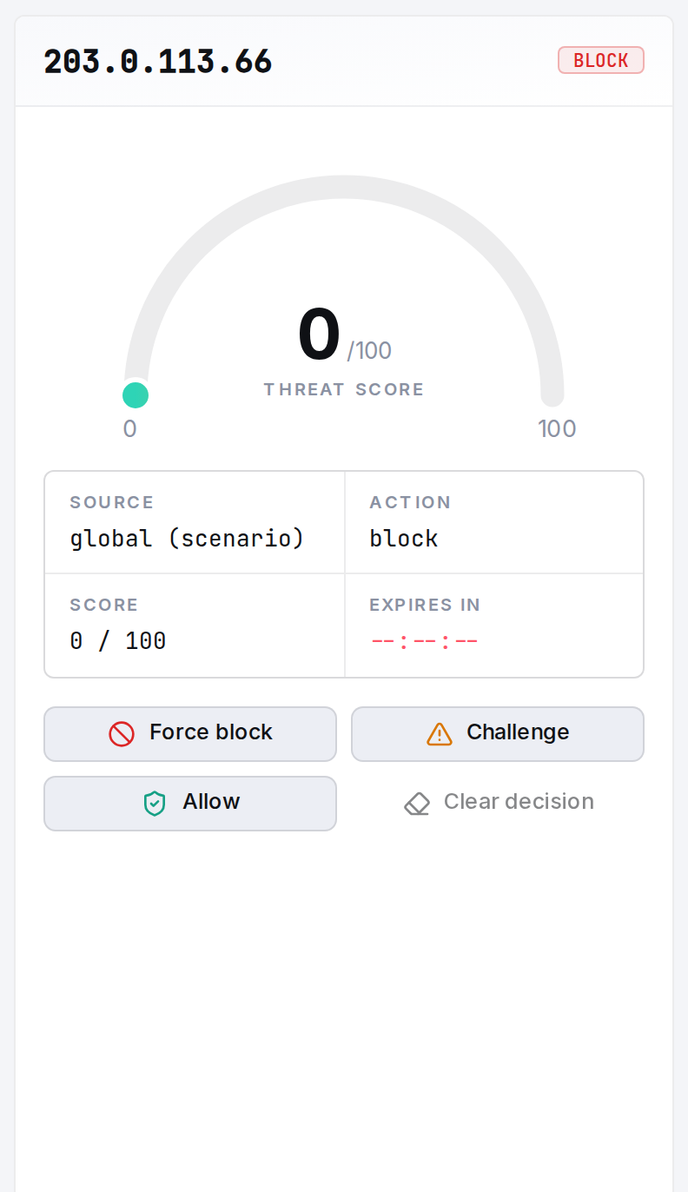
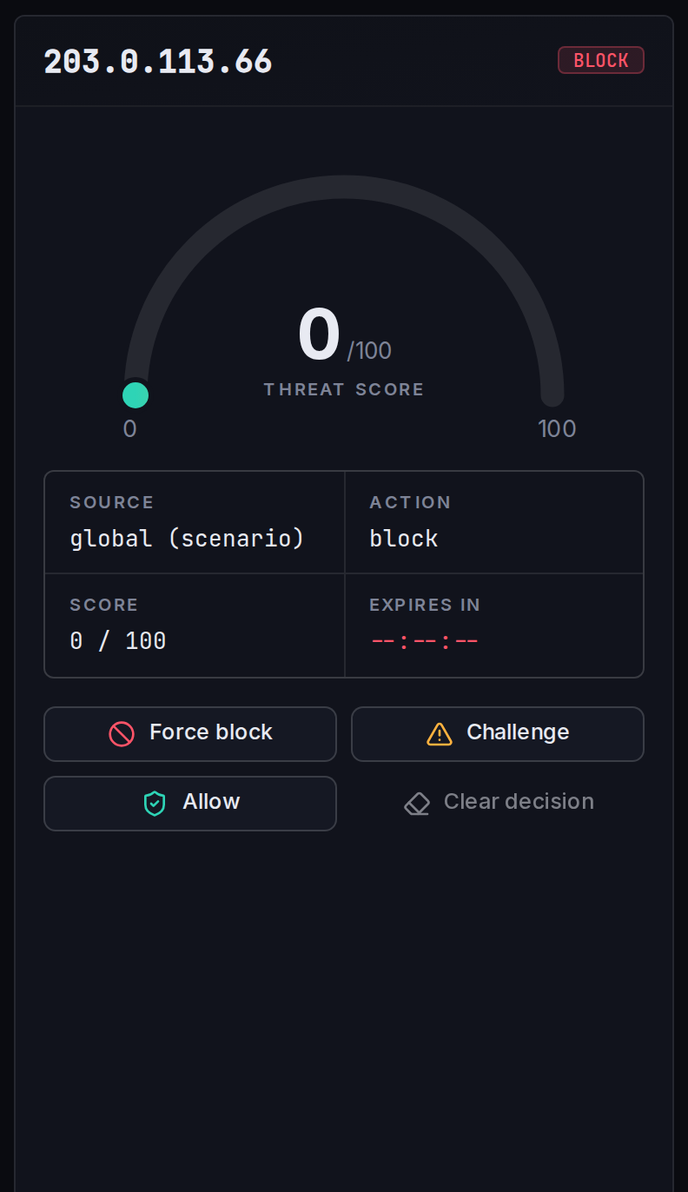
The threat score is a 0–100 gauge that summarizes the IP's current risk level for this zone. Higher scores indicate riskier behavior. The score reflects recent scenario activity and reputation data within the rolling 24-hour window, so it rises as malicious behavior accumulates and decays as the IP goes quiet.
Current Decision
When an IP is actively being blocked or challenged, the lookup shows the decision in effect:
| Field | Description |
|---|---|
| Source | Where the decision comes from (see below) |
| Current action | What smoxy is doing with the IP - for example block, challenge, or monitor |
| Score | The score associated with the active decision |
| TTL remaining | How long the decision stays in effect - shown as Expires in / time remaining |
Where a Decision Comes From
The Source tells you which list or signal produced the active decision:
| Source | Meaning |
|---|---|
| Zone blocklist | The IP is on this zone's own blocklist (shown as "zone") |
| Global blocklist | The IP is on smoxy's global blocklist, maintained across all zones (shown as "global blocklist") |
| Global reputation | smoxy's global reputation data currently flags this IP (shown as "global") |
When no decision source applies, a dash (-) is shown instead.
INFO
Note: Decisions sourced from the global blocklist or global reputation are managed by smoxy across all zones. To change how a specific IP is treated for your zone, use the zone's own Blocklist & Allowlist.
Network Info
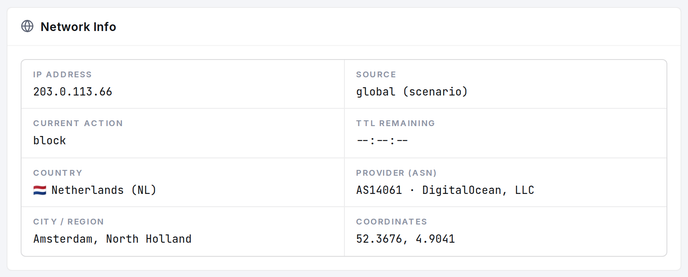
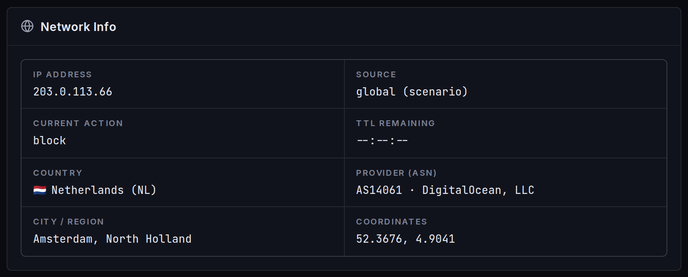
The lookup enriches the IP with network and geolocation details to help you identify the source:
| Field | Description |
|---|---|
| IP address | The address you looked up |
| Country | Country the IP is associated with |
| Provider (ASN) | The network operator / autonomous system |
| City / Region | More precise location, when available |
| Coordinates | Approximate latitude and longitude |
Scenario Timeline
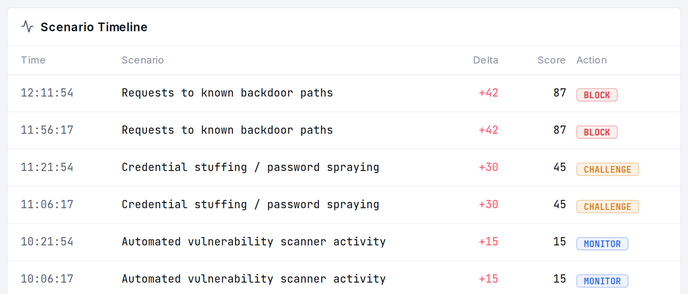
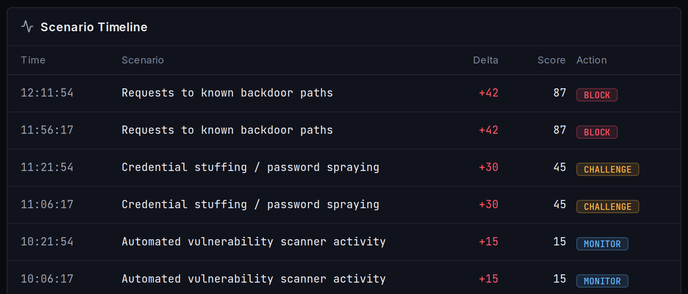
The scenario timeline lists the security-scenario events recorded for this IP within the 24-hour window. Each row shows how a managed security scenario reacted to the IP's behavior and how that moved its score:
| Column | Description |
|---|---|
| Time | When the event was recorded |
| Scenario | The name of the managed security scenario that fired |
| Delta | The score change the event applied (positive raises the score) |
| Score | The resulting score after applying the delta |
| Action | The action associated with the event |
Reading the timeline from top to bottom shows how an IP earned its current score -- which scenarios fired, how much each contributed, and when.
TIP
Scenarios are smoxy's curated detection rules that watch live traffic for specific attack behavior. For what they are and how to manage them, see Managed Security Scenarios.
Taking Action on an IP
From a lookup you can act on the IP directly:
| Action | Effect |
|---|---|
| Force block | Block the IP for this zone, regardless of its score |
| Challenge | Require the IP to pass a challenge before its requests are served |
Both actions create or update an entry in the zone's blocklist. This makes Threat Lookup the natural place to escalate from investigating an IP to acting on it. To review or remove these entries afterwards, see Blocklist & Allowlist.
Important Considerations
- 24-hour window: Threat scores and the scenario timeline cover a rolling 24-hour period. Older activity ages out and stops contributing to the score.
- Decision vs. score: A high score does not always mean the IP is currently blocked -- the Current decision section is what tells you whether an action is in effect right now.
- Zone vs. global: Decisions can originate from your zone's lists or from smoxy's global blocklist and reputation. You can only edit your zone's lists; global lists are maintained by smoxy.
- Acting creates a list entry: Force block and Challenge write to the zone blocklist. Manage those entries on the Blocklist & Allowlist page.