
Domain Overview
The Domain Overview lists every domain smoxy has derived from your zone hostnames, so you can see each domain's DNS state at a glance.
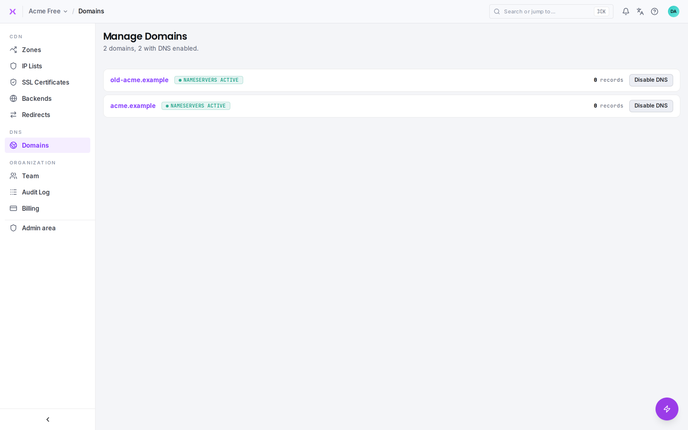
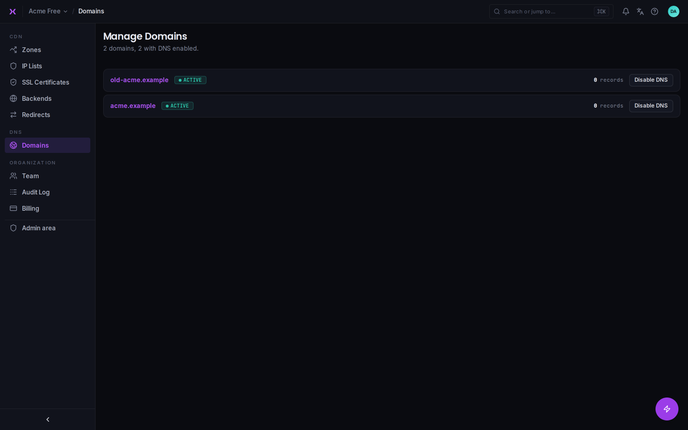
What is the Domain Overview?
The Domain Overview provides an easy-to-read list of all the domains configured in smoxy. Domains appear here automatically once matching hostnames are configured in your zones. For each domain, the overview shows whether smoxy manages its DNS and how many records it holds.
How to Access the Domain Overview
Domains is its own top-level item in the organization navigation. Select Domains to open the overview; all domains are listed immediately along with their current DNS state.
Domain states
The overview is DNS-centric. For each domain it shows:
- DNS management: Whether smoxy manages DNS for the domain. When it does, the domain shows DNS Management: Enabled; when it doesn't, an Enable DNS action lets you turn it on.
- DNS records: The number of DNS records smoxy holds for the domain.
- DNS status: DNS Active when the domain's nameservers point at smoxy and its records are resolving, or DNS Inactive when they are not yet.
Delete a domain
Open the actions menu at the end of the domain's row and select Delete domain. The confirmation dialog asks you to type the domain name before the deletion can be confirmed.
Deleting a domain removes the domain, its managed DNS zone and every DNS record in that zone. The domain name is free to be added again afterwards.
Before you can delete
smoxy refuses the deletion while any of the following applies, and names the one that is blocking you:
- The domain is shared. Shared domains are managed centrally and cannot be deleted.
- Hostnames still use it. Delete those hostnames, and the zones or redirects that own them, first.
- It still has a certificate. Delete the domain's SSL certificate first, so an issued certificate is never destroyed as a side effect of deleting a domain.
- Its nameservers still point at smoxy. Repoint the domain to its new nameservers at your registrar first - deleting the zone underneath a live delegation would take the domain offline.
smoxy looks up the domain's nameservers at the moment you delete it. If that lookup cannot be performed, the deletion is refused rather than carried out, so a domain is never deleted while its delegation state is unknown.
WARNING
Deleting a domain is permanent, and its DNS records cannot be restored afterwards. If you might need them again, export the zone first.
The same operation is available through the API as DELETE /api/organizations/{organizationId}/domains/{id}.