
Backends
Managing Origins and Load Balancers in smoxy
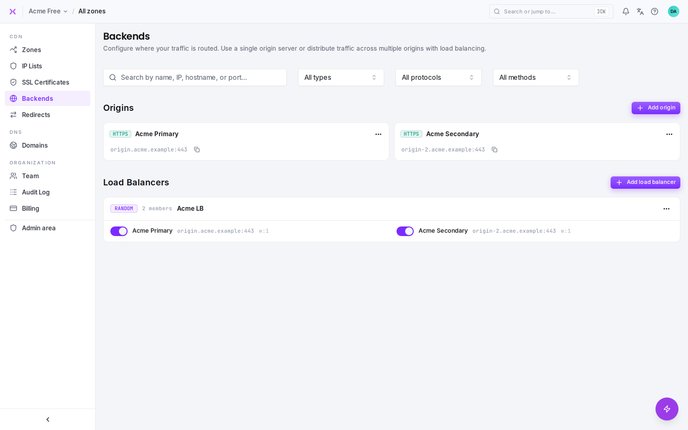
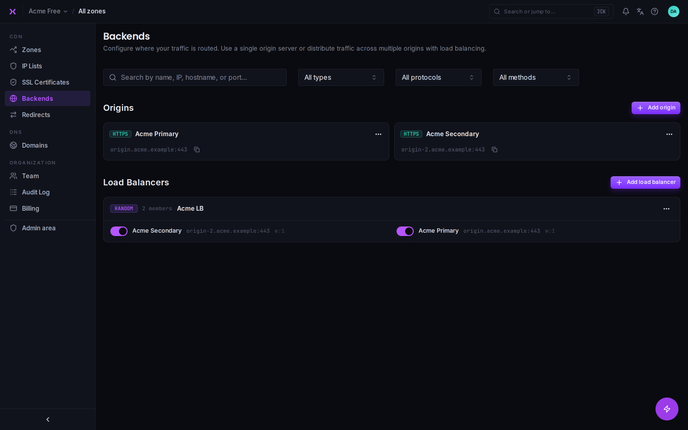
The Backends page in smoxy - the Backends item in the organization navigation - is where you configure origin servers and load balancers to manage traffic effectively for your organization. This page is divided into two sections: Origins and Load Balancers.
Origins Management
The origins section is designed to define and manage your origin servers, which serve as the backend destinations for your traffic. An origin server is the server where smoxy will forward traffic that is being handled by your zone. This could be a web server, an application server, or any server hosting the resources your users need to access.
Adding an Origin
To add a new origin:
Click the "Add Origin" button.
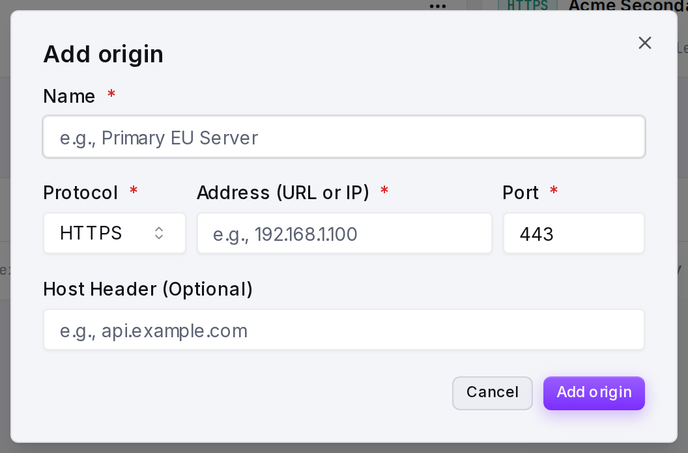
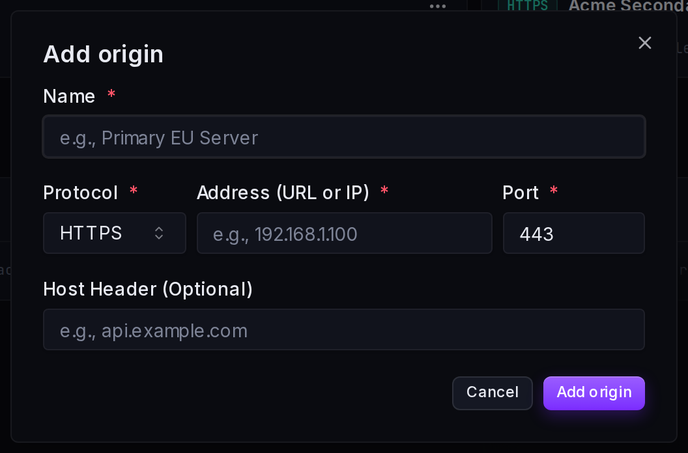
Provide the following information:
- Name: A unique identifier for the origin server.
- Protocol: Choose between
httporhttps. - Address (URL or IP): Enter the origin server's address - a hostname or URL (e.g.
origin.example.com) or an IP address. - Port: Specify the port the server listens to (e.g., 80 for HTTP or 443 for HTTPS).
Load Balancers Management
The load balancers section allows you to configure rules for distributing traffic across multiple origin servers. This is an essential feature for applications that rely on more than one server to handle their traffic. Load balancing ensures that incoming requests are distributed evenly or according to specified rules across your servers, improving performance and reliability.
When Should You Use Load Balancers?
If your application relies on multiple servers to handle traffic (e.g., for scaling, redundancy, or fault tolerance), the Load Balancer feature in smoxy is what you need.
Before you can use a load balancer:
- You must first create an origin for each of your servers.
- Once all the origins (representing your servers) are set up, you can configure a load balancer to distribute traffic among them.
By using smoxy's load balancer, no additional services or servers are required to handle the load balancing process. smoxy itself will take care of balancing the traffic between your servers, simplifying your infrastructure.
Adding a Load Balancer
To create a new load balancer:
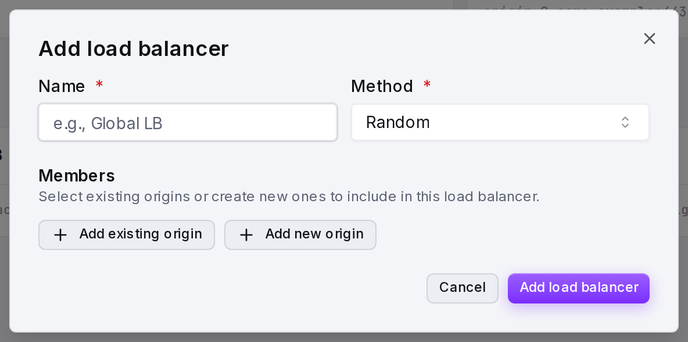
- Click the "Add load balancer" button.
- Configure the following:
- Name: A unique name for the load balancer.
- Method: How the load balancer picks which origin serves each request:
- Random: Requests are distributed randomly across the assigned origins, weighted by each origin's weight.
- IP Hash: The client's IP address determines which origin serves it, so a given client is consistently routed to the same origin.
- Host header (optional): A custom Host header that overrides the Host header of all requests passing through this load balancer.
- Assign Origins: Choose one or more previously created origins to be part of this load balancer.
- For each origin, set a weight (e.g., 1, 2, 3, etc.) to control the traffic distribution ratio between the selected origins. A higher weight means more traffic will be directed to that origin.
Resilience and Failover
When a load balancer distributes traffic across several origins, smoxy keeps requests flowing even if one of them goes down:
- Automatic failover: If smoxy cannot connect to the origin it picked, it retries the request once on the next healthy origin in the load balancer. A single dead origin no longer surfaces as an error to your visitors, as long as a healthy origin remains.
- Safe retry: A request is only retried while nothing has been sent to an origin yet. Once any data has reached an origin, smoxy never re-sends the request, so an operation that may already have been processed is not duplicated. This protects non-idempotent requests, including shops that persist data on a GET.
- Health checks: An origin that repeatedly refuses connections is temporarily taken out of rotation and automatically brought back after a hold period. smoxy stops sending traffic to an origin that is down and resumes once it recovers.
- Hostname origins: An origin given as a hostname is resolved at the edge, with the same failover guarantees as an origin given as an IP address. If a fresh DNS lookup fails, the last known address is reused.
- Single-origin zones: A zone with only one origin never has that origin taken out of rotation - there is no sibling to fail over to, so smoxy keeps trying it.
If a load balancer has no reachable origin left, smoxy responds with 503 Service Unavailable rather than a gateway timeout.
Configuring Origins or Load Balancers for a Zone
Once you have defined your origins and load balancers, you can assign them to specific zones:
- Navigate to the "Proxy" section of the desired zone.
- Locate the "Origin or Loadbalancer" setting.
- Select one of the following:
- An Origin: Assign traffic to a specific origin server.
- A Load Balancer: Assign traffic to a load balancer that manages traffic distribution between multiple origins.
This configuration determines where the traffic for the zone will be sent by default.