
Rewrite Rules
Rewrite Rules allow you to transform incoming URLs before any other processing happens. They work like nginx rewrite rules, enabling URL normalization, legacy URL support, and clean URL structures.
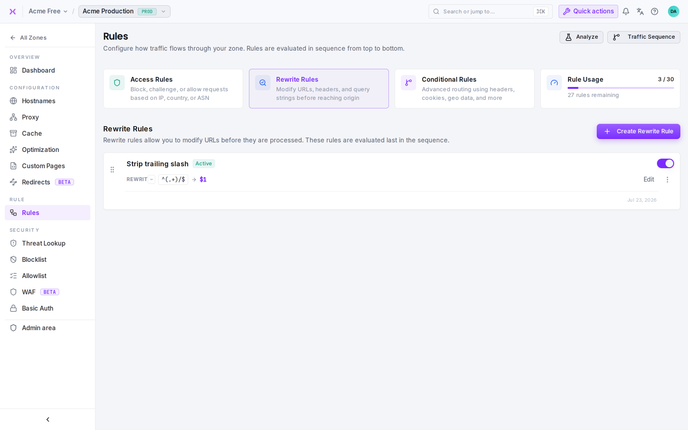
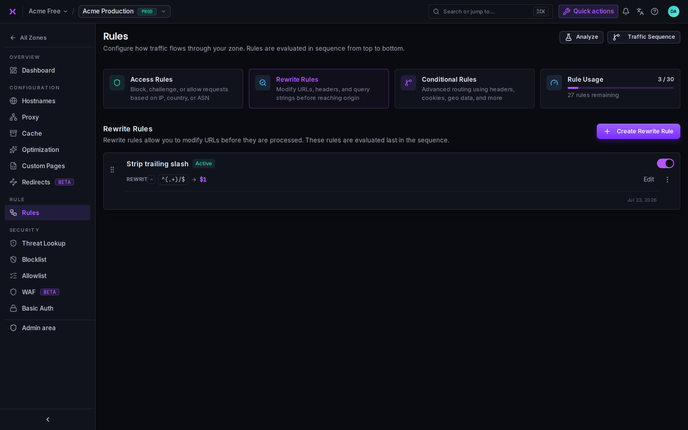
What are Rewrite Rules?
Rewrite Rules modify the request URL based on pattern matching. They're evaluated early in the request flow, right after Access Rules and before Conditional Rules, ensuring that URL transformations happen before configuration rules evaluate the URL.
Key characteristics:
- Execute second in the rule sequence (after Access Rules, before Conditional Rules)
- Transform URLs before cache lookup
- nginx-style URL rewriting
- Evaluated in position order (1, 2, 3...)
- Stop after first match - once a rule matches, no further Rewrite Rules are evaluated
How Rewrite Rules Work
Rewrite Rules are evaluated in ascending position order (1 -> 2 -> 3...) for every incoming request. When a rule's URL pattern matches, the URL is rewritten to the target path and evaluation stops.
Position-Based Evaluation
Request: /old-path
    |
Rewrite Rule (Position 1) -> Match /old-path? -> Rewrite to /new-path -> STOP
    | (no match)
Rewrite Rule (Position 2) -> Match? -> Rewrite -> STOP
    | (no match)
Continue to Conditional Rules with original or rewritten URL...
Important: Once a Rewrite Rule matches, no further Rewrite Rules are evaluated. The rewritten URL is then used by all subsequent Conditional Rules.
URL Matching
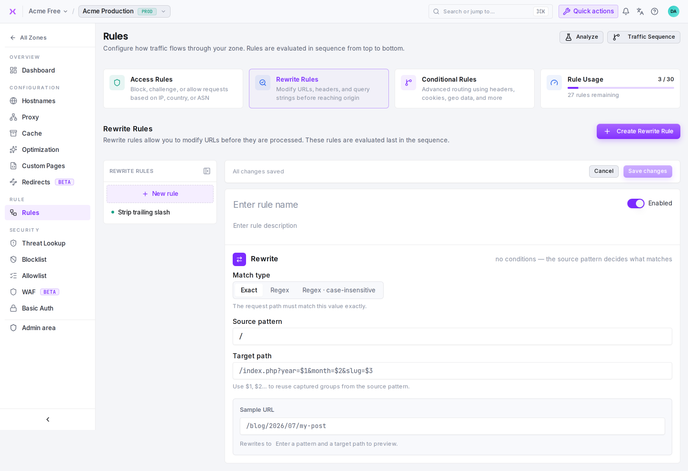
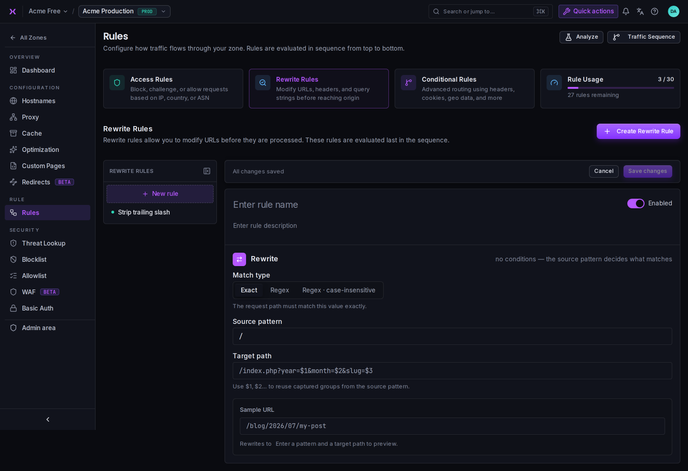
Rewrite Rules match URLs using three different matchers:


Matchers
Exact (=): Exact match
Matcher: Exact
URL: /old-page
Target: /new-page

Matches: /old-page
Doesn't match: /old-page/, /old-page?query=1, /old-page-extra
Regex (~): Case-sensitive regex
Matcher: Regex
URL: ^/blog/(\d+)
Target: /articles/$1

Matches: /blog/123 -> /articles/123
Doesn't match: /BLOG/123 (case-sensitive)
Regex · case-insensitive (~*): Case-insensitive regex
Matcher: Regex · case-insensitive
URL: ^/products/(.*)
Target: /shop/$1

Matches: /products/item -> /shop/item
Also matches: /PRODUCTS/item -> /shop/item
URL vs URI
- URL: The complete web address including protocol and domain
- Example:
https://www.example.com/category/data.html
- Example:
- URI: Just the path without domain or protocol
- Example:
/category/data.html
- Example:
Rewrite Rules work with URIs (the path only).
When to Use Rewrite Rules
Use Rewrite Rules When:
- You need to support legacy URLs while restructuring your site
- You want clean, SEO-friendly URLs (e.g.,
/product/123instead of/product.php?id=123) - You're migrating from another platform and need to maintain old URL structures
- You need URL normalization (e.g., remove trailing slashes, lowercase URLs)
- URL transformations should happen before other rules evaluate
Rewrite rules also power smoxy's on-the-fly image processing - they map clean, public URLs onto the /_sx/img/... processing paths.
Use Cases & Examples
Example 1: Legacy URL Support
Scenario: You've restructured your site from /old-section/page.html to /new-section/page, but need to support old links.
Position: 1
Matcher: Regular Expression
URL: ^/old-section/(.*)\.html$
Target: /new-section/$1

Result:
/old-section/about.html -> /new-section/about
/old-section/contact.html -> /new-section/contact
Why rewrite instead of redirect? Rewrites are transparent - the user doesn't see the URL change, and you maintain the original request context. Conditional Rules can then apply configurations based on the new URL.
Example 2: Clean URL Structure
Scenario: Your application uses query parameters, but you want clean URLs for SEO.
Position: 1
Matcher: Regular Expression
URL: ^/product/([0-9]+)$
Target: /product.php?id=$1

Result:
/product/12345 -> /product.php?id=12345
(Clean URL is rewritten to actual backend URL)
Why this works: Users and search engines see clean URLs (/product/12345), but your backend receives the query parameter format it expects.
Example 3: Platform Migration
Scenario: Migrating from WordPress to a new platform and need to support old post URLs.
Position: 1
Matcher: Regular Expression
URL: ^/([0-9]{4})/([0-9]{2})/(.*)$
Target: /posts/$1-$2-$3

Result:
/2024/03/my-blog-post -> /posts/2024-03-my-blog-post
/2023/12/another-post -> /posts/2023-12-another-post
Combined with Conditional Rules: After the rewrite, a Conditional Rule matching /posts/* can apply specific caching or optimization settings.
Target Path
The Target Path is where the URL gets rewritten to. It can be:
- Static path:
/new-location - With capture groups:
/section/$1(uses regex capture groups from the URL pattern) - Multiple captures:
/category/$1/item/$2
Important: The target path is the actual backend path your application will receive. Make sure it's a valid path your application can handle.
Rule Order Best Practices
Since Rewrite Rules stop on first match, order them carefully. For how rewrite ordering fits into the overall pipeline, see Execution & Ordering.
1. Most Specific First
Position 1: /exact/specific/path -> /target1
Position 2: /specific/* -> /target2
Position 3: /* -> /target3
2. Exact Matches Before Patterns
Position 1: = /special-page -> /new-special
Position 2: ~ ^/special -> /regular-special
3. Consider Downstream Rules
Remember that Conditional Rules will evaluate against the rewritten URL, not the original:
Rewrite Rule: /old/* -> /new/*
Conditional Rule: Match /new/* (not /old/*)
4. Consolidate Similar Patterns
Use regex to handle multiple cases efficiently:
Less efficient (multiple rules):
/old-about -> /about
/old-contact -> /contact
/old-help -> /help
More efficient (single rule):
^/old-(.*)$ -> /$1Use regex for flexibility:
Multiple specific rules:
/product-1 -> /item/1
/product-2 -> /item/2
...
Single flexible rule:
^/product-([0-9]+)$ -> /item/$1Uniqueness
Each zone must have unique:
- Rule names - each rule must have a unique name
- URL patterns - you cannot have duplicate URL patterns
If you try to create a duplicate, you'll see: "Name already exists" or "Same matcher exists."
Common Mistakes
Catch-all rewrite at position 1
Position 1: ~ ^/(.*)$ -> /new/$1
-> Rewrites EVERYTHING, other rules never match
Specific patterns first
Position 1: = /special -> /new-special
Position 2: ~ ^/blog/(.*)$ -> /articles/$1
Position 3: ~ ^/old-(.*)$ -> /$1
Forgetting about Conditional Rules
Rewrite Rule: /old-admin -> /admin
Conditional Rule: Match /old-admin/* -> NEVER MATCHES
Should match: /admin/*
Conditional Rules match rewritten URLs
Rewrite Rule: /old-admin -> /admin
Conditional Rule: Match /admin/* -> Matches after rewrite
Invalid target path
URL: ^/product/(.*)$
Target: /invalid/$2 (capture group $2 doesn't exist)
-> Broken rewrite
Valid capture groups
URL: ^/product/(.*)$
Target: /item/$1 (uses capture group $1)
Testing Rewrite Rules
- Enable Debug Headers in your zone configuration
- Make test requests with the original URLs
- Check response headers to see which rules were applied and what the URL became
- Verify Conditional Rules are matching the rewritten URL, not the original