
Cache
smoxy provides a CDN caching layer that stores copies of your content at the edge. This guide covers the caching configuration available on your zone -- caching behavior, TTL, cache key composition, cache tags, edge processing, and stale-cache behavior. For where the cache decision sits in the overall request flow, see the Request Lifecycle.
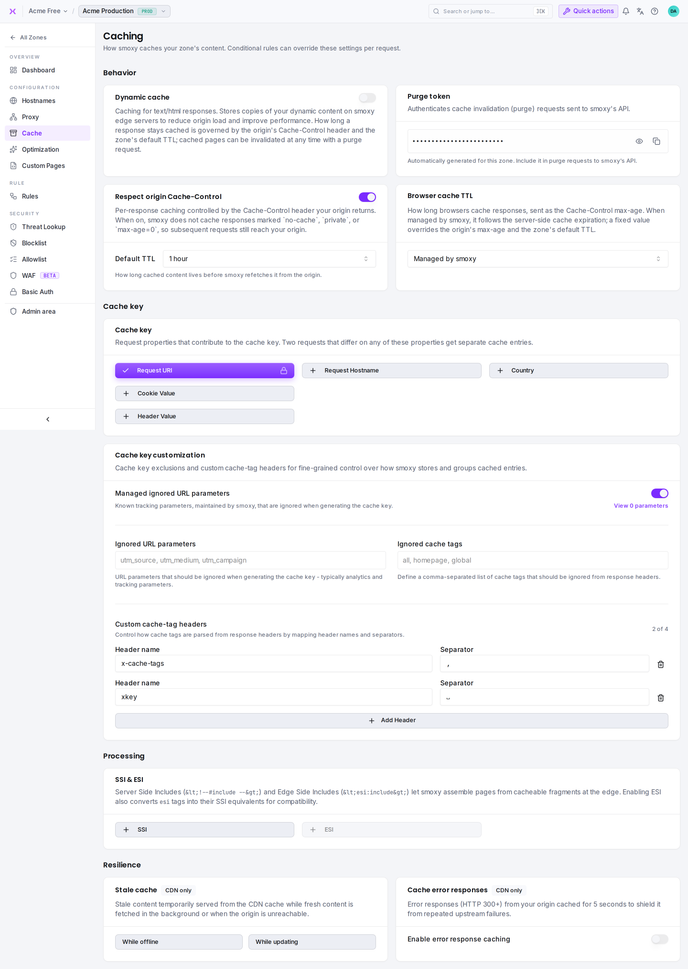
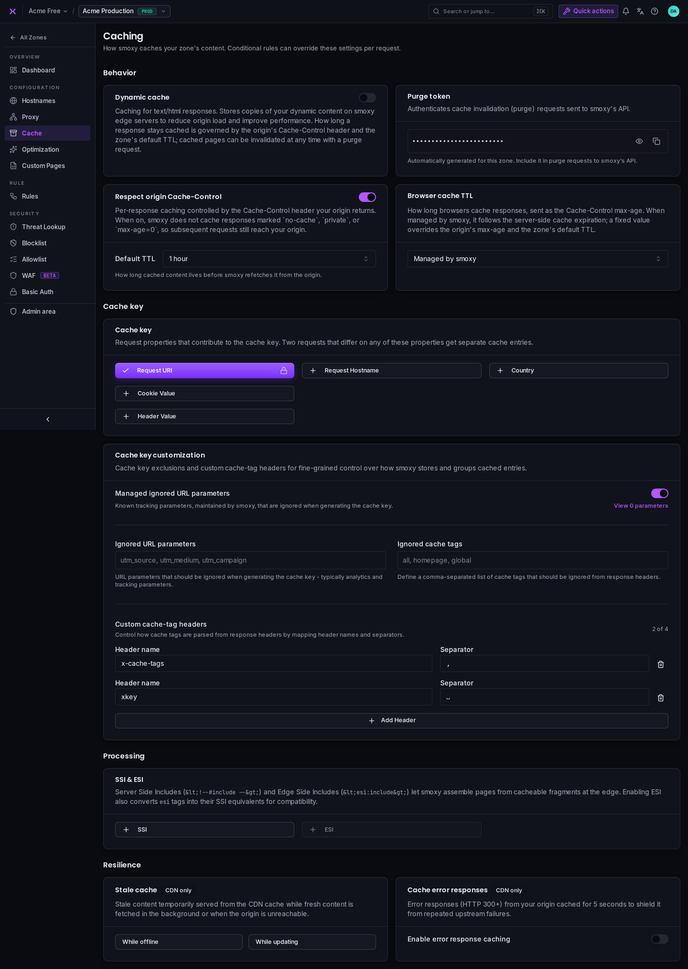
Dynamic Cache
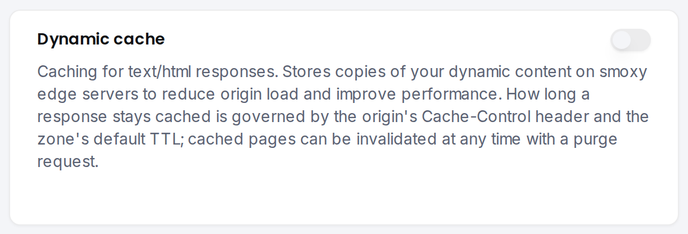
The Dynamic cache toggle enables caching of your zone's text/html responses on smoxy's edge servers, reducing origin load and improving performance. Images and any other cacheable content types you enable are cached independently of this setting.
Good candidates for HTML caching: product and category pages, blog posts, landing pages, documentation -- any page whose HTML doesn't change per visitor. Not suitable: personalized pages (user dashboards, shopping carts), pages that must reflect real-time data, and dynamic API responses. For mixed pages (e.g. a product page with a personalized cart widget), SSI/ESI can cache the static parts separately from the dynamic fragments.
When HTML content changes, purge the cache so visitors see the latest version (Cache Invalidation). The configured TTL applies to HTML like any other cached content, and if HTML varies by cookie (language, login state), configure the cookie value component accordingly. Per-request control -- caching only specific paths, or none for logged-in users -- is available via Conditional Rules.
Cacheable Content Types
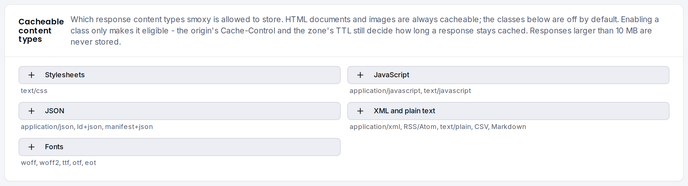
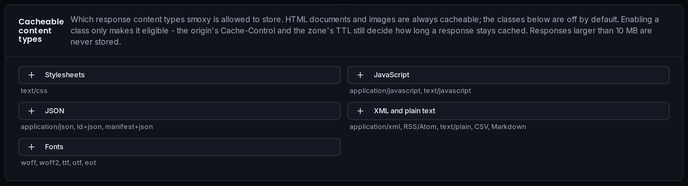
Not every response is eligible for the edge cache. HTML and images have their own switches -- HTML follows the Dynamic cache toggle above, images follow Optimization. Every other content type is off by default and enabled per zone in the Cacheable content types card, one toggle per class:
| Class | Content types it covers |
|---|---|
| Stylesheets | text/css |
| JavaScript | application/javascript, text/javascript |
| JSON | application/json, application/ld+json, application/manifest+json |
| XML and plain text | application/xml, RSS and Atom feeds, text/plain, CSV, Markdown |
| Fonts | woff, woff2, ttf, otf, eot |
Stylesheets, JavaScript and fonts are the safest to switch on: they are typically immutable, served under content-hashed filenames, and byte-identical for every visitor. They are also among the most-requested objects on a typical shop, so caching them at the edge removes a large share of origin traffic.
Enabling a class only makes a response eligible. The origin's Cache-Control and the zone's TTL still decide whether a given response is stored, and for how long.
WARNING
Take care with JSON. API responses are frequently personalized -- a cart, a session, a customer-specific price. Enable the JSON class only where every visitor may receive the same body. Otherwise mark per-user responses Cache-Control: private at the origin (with Respect origin Cache-Control enabled), or add the distinguishing cookie or header to the cache key.
Responses larger than 10 MB are never stored, whatever their content type and whichever classes are enabled. They are streamed straight through to the visitor.
Video and audio are not offered as a class. Players request byte ranges rather than whole files, so media is served from your origin rather than the edge cache.
To apply a class to only part of your traffic, override Cacheable content types in a Conditional Rule -- caching JSON under /api/ only, for example. A rule replaces the zone's entire selection for matching requests, so it can switch a class off as well as on.
Respect Cache-Control
The Respect origin Cache-Control toggle -- enabled by default -- lets your origin control caching per response through its Cache-Control header. When on, smoxy does not cache responses marked no-cache, private, or max-age=0, so those requests continue to reach your origin.
s-maxage takes precedence. As a shared cache, smoxy honors the s-maxage directive over max-age. A response with Cache-Control: max-age=0, s-maxage=3600 is therefore cached -- max-age=0 only tells the browser not to cache, while s-maxage>0 explicitly allows proxy caches like smoxy to store it. Only when no positive s-maxage is present does max-age=0 cause a bypass. This combination is common in frameworks that separate browser and proxy caching, such as Shopware 6 or Symfony HttpCache.
| Setting | Default |
|---|---|
| Respect origin Cache-Control | Enabled |
When disabled, smoxy applies the configured TTL to all cacheable responses regardless of the origin's Cache-Control header.
Cache TTL (Time-to-Live)
The Default TTL controls how long smoxy caches your content before requesting a fresh copy from your origin. The dropdown sits inside the Respect origin Cache-Control card and offers fixed presets:
5 minutes · 15 minutes · 30 minutes · 1 hour · 6 hours · 12 hours · 1 day · 2 days · 3 days · 7 days
The default is 7 days (604,800 seconds).
Browser Cache TTL
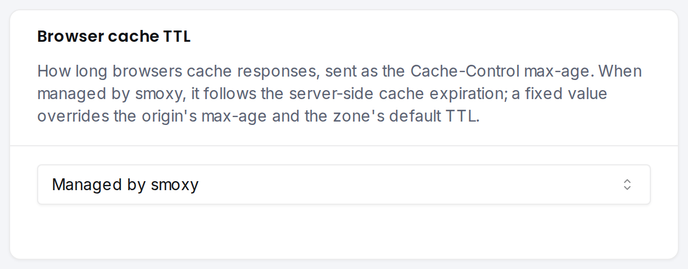
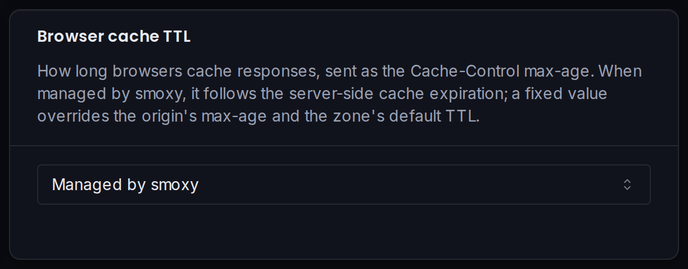
The Browser cache TTL controls how long browsers cache responses delivered by the CDN -- sent to clients as the Cache-Control max-age directive. While the Default TTL governs how long smoxy keeps content at the edge, this setting governs the copy in your visitors' browsers.
| Option | Behavior |
|---|---|
| Managed by smoxy (default) | Browsers follow the server-side cache expiration |
| No browser caching | Instructs browsers not to cache |
| Fixed preset | Overrides any max-age returned by the origin and the zone's default TTL |
The fixed presets range from 5 minutes to 1 year:
5 minutes · 15 minutes · 30 minutes · 1 hour · 6 hours · 12 hours · 1 day · 7 days · 30 days · 1 year
Via the API, the setting is the zone field cacheControlPublicMaxAgeOverride and accepts any value between 0 and 31536000 seconds (1 year), or -1 for Managed by smoxy. A value that doesn't match a preset is shown in the dropdown as Custom (Ns).
Cache Key
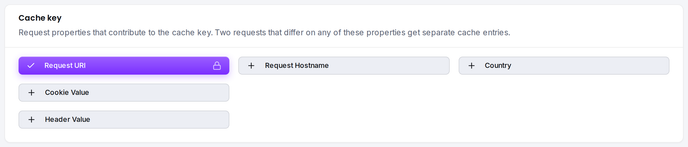
The cache key determines how smoxy identifies unique cached responses. Two requests with the same cache key return the same cached content. Understanding the cache key is essential for avoiding stale or incorrect content being served.
Components
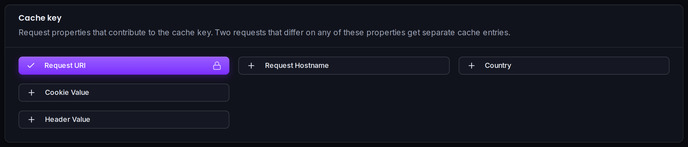
By default, the cache key is built from the request URI and the query string. Four optional components can be added -- all off by default:
| Component | Control | Default | Description |
|---|---|---|---|
| Request URI | Always included | -- | The request path is always part of the cache key |
| Request Hostname | Toggle | Off | Include the request hostname so different hostnames cache apart |
| Country | Toggle | Off | Include the visitor's country (from GeoIP) so countries cache apart |
| Cookie Value | Toggle | Off | Vary the cache based on specific cookie values |
| Header Value | Toggle | Off | Vary the cache based on specific request header values |
Request Hostname
When Request Hostname is enabled, requests to different hostnames on the same zone produce separate cache entries. This matters if multiple hostnames on the same zone serve different content for the same path.
Example: With this enabled, www.example.com/about and shop.example.com/about are cached separately.
Country
When Country is enabled, smoxy includes the visitor's country in the cache key, so visitors from different countries receive separately cached responses. The country is resolved from the visitor's IP address by GeoIP lookup.
Example: With this enabled, a visitor from Germany (DE) and a visitor from Austria (AT) are cached separately for the same URL. Enable this only when your origin actually returns country-specific content for the same path -- otherwise it fragments the cache and lowers your hit rate.
Cookie Value
When Cookie Value is enabled, smoxy includes specific cookie values in the cache key. This is useful for serving different content based on user preferences like language or region.
Configure which cookies to vary on under Cookie Name Values -- a list of cookie names.
Example: If you vary on language, a visitor with language=en and a visitor with language=de receive separately cached responses.
Header Value
When Header Value is enabled, smoxy includes the values of specific request headers in the cache key. This is useful when your origin returns different content based on a request header -- for example Accept-Language for localized pages or a custom X-Device-Type header.
Configure which headers to vary on under Header Name Values -- a list of request header names.
Example: If you vary on Accept-Language, a visitor sending Accept-Language: en and one sending Accept-Language: de receive separately cached responses.
Normalization and deduplication. When you save the list, smoxy trims each entry, drops empty ones, and removes duplicates case-insensitively, treating - and _ as the same character. Accept-Language, accept-language, and Accept_Language all collapse to a single entry -- the first spelling you entered is the one kept.
Write header names with dashes. Use Accept-Language, not Accept_Language: request headers whose names contain underscores are dropped before they reach smoxy, so an underscore-named header would never contribute to the cache key.
Managed Ignored URL Parameters
smoxy maintains a curated list of query parameters that are known not to affect page content -- advertising click identifiers (gclid, fbclid, ttclid, ...), UTM campaign tags, and tracking parameters from common analytics, email-marketing, and affiliate platforms. When Managed ignored URL parameters is enabled, every parameter on this list is stripped from the URL before the cache key is computed, in addition to your own excluded query parameters.
The list is maintained and updated centrally by smoxy -- new parameters take effect on your zone automatically, with no configuration on your side. Click View parameters in the Cache key customization card to see the current list with a description of each entry.
| Setting | Default |
|---|---|
| Managed ignored URL parameters | Enabled for new zones. Zones created before July 2026 keep it disabled until you enable it |
Currently managed parameters (July 2026)
| Source | Parameters |
|---|---|
| Google Analytics / Ads | _ga, _gl, gclid, gclsrc, gbraid, wbraid, gad_source, gad_campaignid, dclid, srsltid |
| UTM campaign tags | utm_source, utm_medium, utm_campaign, utm_content, utm_term, utm_id, utm_source_platform, utm_creative_format, utm_marketing_tactic |
| Social ads | fbclid (Meta), ttclid (TikTok), twclid (X/Twitter), li_fat_id (LinkedIn), epik (Pinterest) |
| Microsoft / Yandex | msclkid, yclid |
| Adobe | ef_id, s_kwcid |
| Matomo / Piwik | matomo_campaign, matomo_cid, matomo_kwd, mtm_campaign, mtm_cid, mtm_content, mtm_group, mtm_keyword, mtm_kwd, mtm_medium, mtm_placement, mtm_source, piwik_campaign, piwik_keyword, piwik_kwd, pk_campaign, pk_cid, pk_keyword, pk_kwd, pk_medium, pk_source |
| etracker | etcc_bky, etcc_cmp, etcc_ctv, etcc_grp, etcc_med, etcc_mty, etcc_ori, etcc_plc, etcc_var |
| Email marketing | _hsenc, _hsmi (HubSpot), mc_cid, mc_eid (Mailchimp), sc_eh, sc_lid, sc_llid, sc_src, sc_uid, sfmc_sub (Salesforce Marketing Cloud), em_cmp |
| Affiliate networks | awc (AWIN), tduid (Tradedoubler), wgu, wgexpiry (Webgains) |
| Retargeting & advertising | cto_pld (Criteo), rtbhc (RTB House), trc_gad_id, trc_gag_id, trc_gcmp_id (Taboola), padico, styCampaignId, styProUuid, stySource |
| E-commerce analytics | klar_adid, klar_cpid, klar_source (Klar), channable (Channable) |
| Cache busters | sucurianticache (Sucuri), uptime_kuma_cachebuster (Uptime Kuma) |
The authoritative, always-current list is shown in the Hub and available via the API: GET /api/zones/{zoneId}/cache/managed-ignored-url-params.
Per-request control is available via Conditional Rules: the Managed Ignored URL Params setting forces the managed list on or off for matching traffic.
Excluded Query Parameters
By default, the full query string is part of the cache key. You can exclude specific query parameters that should not affect caching -- typically tracking parameters that don't change the page content.
Configure a comma-separated list of parameter names to exclude.
Common exclusions: utm_source, utm_medium, utm_campaign, utm_content, utm_term, gclid, fbclid -- all of these are already covered by the managed list when it is enabled; your own list is for site-specific parameters on top.
Parameter name rules: Only alphanumeric characters and hyphens are allowed.
Cache Tags
Cache tags allow you to group cached content and purge it selectively. Your origin server sends cache tag values in HTTP response headers, and smoxy uses these to associate cached content with tags. When you purge a tag, all cached content associated with that tag is invalidated.
Configuration
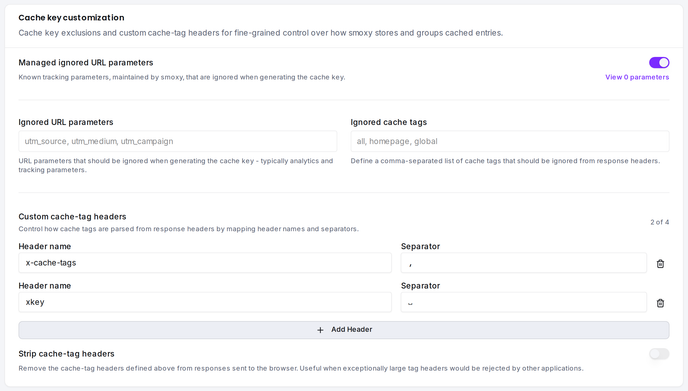
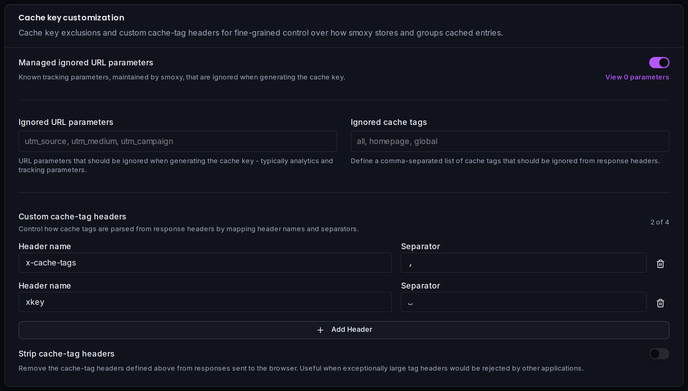
You can configure up to 4 cache tag headers. Each header has a name and a separator character.
| Setting | Description |
|---|---|
| Header name | The HTTP response header that contains tag values |
| Separator | The character that separates multiple tags within the header -- one of space, ,, ;, or | |
Header name rules: Only alphanumeric characters and hyphens are allowed.
Defaults
smoxy comes preconfigured with two cache tag headers:
| Header | Separator | Example |
|---|---|---|
x-cache-tags | , (comma) | x-cache-tags: product-123,category-shoes |
xkey | (space) | xkey: product-123 category-shoes |
These defaults cover the most common cache tagging conventions. You can modify or add additional headers as needed.
Strip Cache-Tag Headers
By default, the cache-tag headers your origin sends pass through to visitors. The Strip cache-tag headers toggle -- off by default -- removes every header configured above (e.g. x-cache-tags, xkey) from responses before they are sent to the client, on every path: cache hits, misses, and bypasses alike.
This is useful when exceptionally large tag headers would otherwise be rejected by downstream applications -- Shopware's xkey header, for example, can grow past what some proxies and clients accept.
A header you explicitly set under custom response headers wins over stripping, and header matching is case-insensitive (xkey also strips XKey). Per-request control is available via Conditional Rules: the Strip cache-tag headers override forces the behavior on or off for matching traffic.
Via the API, the setting is the zone field stripCacheTagHeaders.
Cache Tag Ignore List
You can configure a list of tag patterns to ignore. Tags matching these patterns are not stored, which can reduce cache metadata overhead for tags you never intend to purge.
Enter a comma-separated list of tag names or patterns.
Allowed characters: Alphanumeric, parentheses, braces, brackets, hyphens, underscores, periods, forward slashes, and asterisks.
SSI & ESI
smoxy supports Server Side Includes (SSI) and Edge Side Includes (ESI) for assembling pages from multiple fragments at the edge.
| Feature | Description |
|---|---|
| SSI | Process <!--#include --> directives in HTML responses |
| ESI | Process <esi:include> tags for edge-side page assembly |
INFO
Note: ESI can only be enabled when SSI is also enabled.
These features are useful for sites that compose pages from cacheable fragments with different TTLs (e.g., a static header cached for hours and a dynamic cart widget cached for seconds).
Stale Cache
The Stale cache controls let smoxy serve stale content from the CDN cache instead of failing or waiting on the origin. Two independent toggles:
| Toggle | Behavior |
|---|---|
| While offline | Serve cached content when the origin is unreachable |
| While updating | Serve cached content while a fresh copy is fetched in the background |
INFO
Note: Stale cache is CDN only.
Cache Error Responses
When enabled, error responses (HTTP 300+) from your origin are cached briefly -- about 5 seconds -- to shield it from repeated upstream failures.
INFO
Note: Cache error responses is CDN only.
Purge Token
Each zone has an automatically generated purge token that authenticates cache invalidation (purge) requests sent to smoxy's API. It is shown on the Cache page next to the Dynamic cache card and cannot be set manually. The token is masked by default -- click Reveal token to display it. Include it in your purge requests to authorize them.
See Cache Invalidation for how to send purge requests.
The s-cache Response Header
When the Dynamic cache or Optimization features are enabled, smoxy adds an s-cache response header to every response, telling you how the request was served. Use it to debug cache hit rate, verify rule behavior, and confirm that your origin's Cache-Control directives are honored.
HIT
The resource was found in smoxy's cache and served directly from the edge - no origin round-trip.
MISS
The resource was not in cache and was fetched from the origin. To prevent browsers from caching the miss response, smoxy sets cache-control: no-cache, no-store, must-revalidate on the response - this guarantees that the next request can be served as a HIT once smoxy has stored the content.
A brand-new URL is not stored on its very first request. Most one-off URLs -- tracking links, session URLs, crawler noise -- are requested exactly once, and storing them would fill the cache with content nobody asks for a second time. smoxy therefore stores an object only once it has shown that it recurs: the first request is served from the origin and remembered, the second stores the response, and from the third on it is served as a HIT. Content that smoxy has cached before is unaffected -- an expired or invalidated entry is refreshed on the first request. When testing cache behavior on a fresh URL, request it more than once before expecting a HIT.
BYPASS
smoxy intentionally skipped the cache. This happens when:
- Respect origin Cache-Control is enabled and the origin returned
Cache-Control: no-cache,private, ormax-age=0without a positives-maxage-- ifs-maxage>0is present, the response is cached instead (see Respect Cache-Control). - The request carried an
http-bypassheader with a valid token or a base64-encoded form of your hostname. - The response Content-Type is not eligible for caching, because its class is not enabled for the zone (see Cacheable Content Types) or the response is larger than 10 MB.
Important Considerations
- TTL trade-off: A longer TTL means less origin traffic but slower content updates. A shorter TTL means fresher content but more origin requests. Choose based on how frequently your content changes.
- Vary on cookies carefully: Only vary on cookies that actually affect the response content. Varying on session IDs or tracking cookies effectively disables caching since every visitor gets a unique cache entry.
- Vary on headers sparingly: Every request header you vary on multiplies the number of cached copies of each URL -- one per distinct combination of header values. Only vary on headers that genuinely change the response, or your cache hit rate drops.
- Exclude tracking parameters: Marketing parameters like UTM tags don't change your page content. Excluding them from the cache key significantly improves your cache hit rate. The managed list covers the common ones automatically; add your own exclusions for anything site-specific.
- Cache tags require origin cooperation: Your origin server must send the configured tag headers in its responses. smoxy reads these headers and stores the association -- it does not generate tags automatically.
- Start with static classes: When enabling cacheable content types, stylesheets, JavaScript and fonts carry almost no risk. Treat JSON as the exception rather than the rule, and confirm the responses really are identical for every visitor before switching it on.