
Hostnames
The Hostnames page is where you manage the domains and subdomains routed to a zone. Every hostname attached here inherits the zone's configuration -- proxy and origin, caching, security, optimization, and routing. A hostname goes live the moment its DNS CNAME record points to smoxy: from then on, incoming requests for it are handled with the zone's settings.
Adding a Hostname
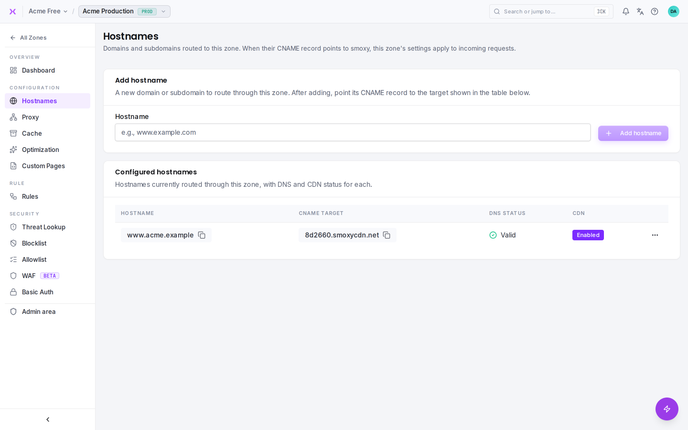
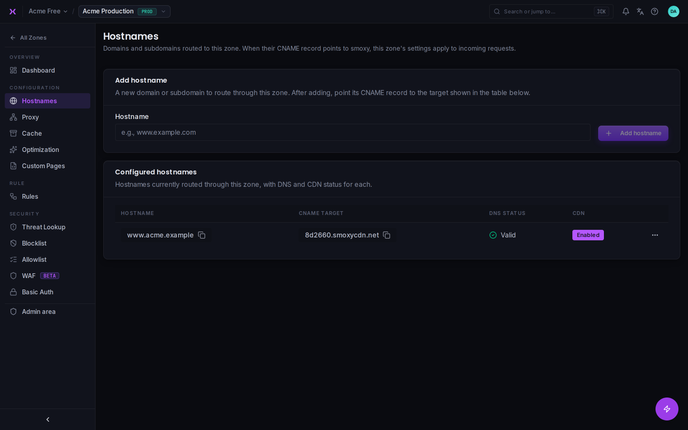
- Open your Zone and go to Hostnames
- Enter the hostname you want to route to this zone (e.g.,
www.example.com) - Add it -- the hostname now appears in the Configured hostnames table
- At your DNS provider, point the hostname's CNAME record at the CNAME target smoxy shows for it in the table
Once the CNAME resolves to smoxy, traffic for the hostname is served by the zone -- with all of the zone's settings applied automatically.
INFO
Note: A hostname also needs a valid SSL certificate before it can serve HTTPS traffic. smoxy can issue one automatically -- see How SSL Works.
Automatic DNS Setup
If the hostname belongs to a domain whose DNS is managed by smoxy, you can skip step 4: right after the hostname is added, a Set up DNS automatically? dialog offers to create every required DNS record for you. It first checks the current DNS configuration and shows exactly what will happen:
- Traffic routing -- the hostname's CNAME record pointing at its CNAME target.
- SSL certificate -- when the domain's certificate is auto-managed by smoxy:
- If the hostname is not yet covered by one of the certificate's SANs, it is added to the certificate as a new SAN, and the
_acme-challengevalidation CNAME for it is created. - Missing validation CNAME records for the certificate's existing SANs are created as well.
- When a new SAN is added, a certificate renewal is triggered automatically once the DNS records have propagated.
- If the hostname is not yet covered by one of the certificate's SANs, it is added to the certificate as a new SAN, and the
Each entry is marked as will be created, already configured, or conflict, left untouched. Confirm with Set up automatically to apply everything, or choose Set up manually to close the dialog and set the records yourself.
INFO
Existing records are never modified. If a record with the same name already exists but doesn't match, smoxy leaves it untouched and flags it as a conflict -- review it on the domain's DNS page. If the conflict affects the validation record of a newly added SAN, the automatic certificate renewal is skipped until the conflict is resolved.
A few things to know:
- The dialog appears only for domains added to your organization whose DNS is managed by smoxy.
- The SSL step is skipped when the domain has no certificate yet, when its certificate is self-managed (SANs are not managed automatically), or when the hostname is covered by a shared certificate.
- If the domain's nameservers don't point to smoxy yet, the records are created anyway and take effect as soon as the nameserver switch is complete.
The Configured Hostnames Table
The Configured hostnames table lists every hostname attached to the zone, with the following columns:
| Column | What It Shows |
|---|---|
| Hostname | The domain or subdomain routed to this zone |
| CNAME target | The value to point the hostname's DNS CNAME record at |
| DNS status | Whether the hostname's CNAME currently points to smoxy |
| CDN | Whether the CDN (caching & optimization) is active for this hostname -- Enabled or Disabled |
Per-Hostname Actions
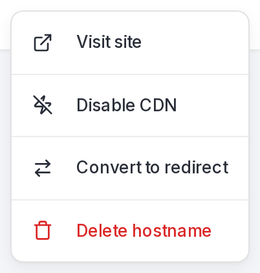
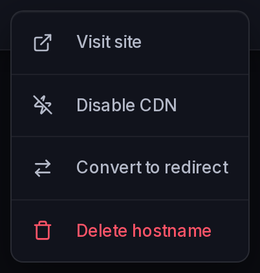
Each hostname has an actions menu:
| Action | What It Does |
|---|---|
| Visit site | Opens the hostname in your browser |
| Enable CDN / Disable CDN | Toggles whether the CDN is active for this hostname |
| Move to zone | Moves the hostname to a different zone |
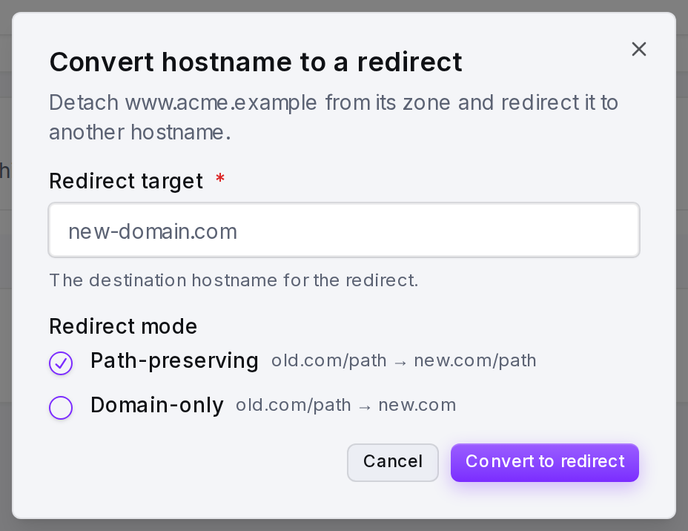
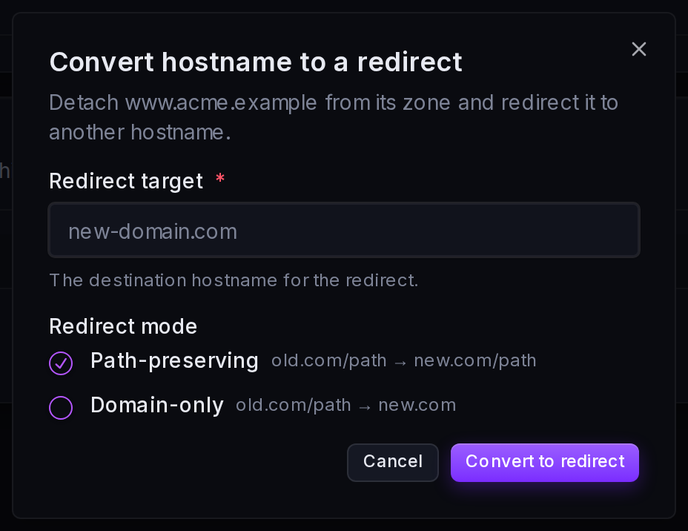
| Convert to redirect | Turns the hostname into a redirect instead of serving content |
| Delete hostname | Removes the hostname from the zone |
Enable CDN / Disable CDN
This toggle controls whether the CDN -- caching and optimization -- is active for the hostname. Disable it when you want smoxy to pass traffic through without caching or optimizing it.
Enabling the CDN requires a usable certificate: a hostname on a shared domain, or on a domain whose certificate is expired or incomplete, cannot enable the CDN (the API rejects the change with 422). The check only applies when turning the CDN on -- a certificate that expires while the CDN is already enabled does not block other changes.
INFO
Note: Disabling the CDN turns off caching and optimization only. Security and proxy handling can still apply to the hostname even with the CDN disabled.
Move to Zone
Moving a hostname to another zone reattaches it to the destination zone you select. The hostname immediately inherits that zone's settings -- no need to reconfigure anything manually.
This action appears only when your organization has at least one other zone to move the hostname to.
Convert to Redirect
When a hostname should forward traffic to another address instead of serving content, convert it to a redirect. See Redirects for how redirects work.
Delete Hostname
Removes the hostname from the zone. If the hostname's apex domain has its DNS managed by smoxy, deleting it also removes the hostname's traffic-routing CNAME -- the record created by Automatic DNS Setup -- so no orphaned record is left behind. Only the CNAME whose name and value match the hostname's CNAME target is removed; every other record, including any you created yourself, is left untouched. The certificate's SAN and its _acme-challenge validation record stay in place.
INFO
Best-effort cleanup. Removing the CNAME never blocks the deletion: if the record can't be removed, the hostname is still deleted and smoxy tells you to remove the leftover record yourself on the domain's DNS page. The step is skipped for hostnames whose domain uses external DNS or is a shared domain, and when no matching record exists.
DNS Status
The DNS status reflects whether the hostname's CNAME record correctly points to smoxy. smoxy runs a per-hostname DNS check, so you can confirm at a glance which hostnames are routed correctly and which still need their CNAME updated.
TIP
If a hostname's DNS status indicates it is not pointing to smoxy, re-check that its CNAME record matches the CNAME target shown in the table. DNS changes can take some time to propagate before the status updates.
Hostnames, Zones, and SSL
Hostnames are how a zone's configuration reaches live traffic. The connection is the CNAME-points-to-smoxy mechanism: as long as a hostname's CNAME resolves to smoxy, every request for it is served with the zone's settings. Change the zone's configuration and the change applies to all of its hostnames at once.
Two things have to be in place for a hostname to serve traffic over HTTPS:
| Requirement | Why It Matters |
|---|---|
| CNAME to smoxy | Routes incoming requests for the hostname through smoxy so the zone's settings apply |
| SSL certificate | Lets the hostname serve HTTPS -- smoxy can issue one automatically |
For more on how zones group hostnames under one configuration, see What is a Zone?. For certificates, see How SSL Works.